React
A React page that shows logos or headshots otherwise needs its own loading code: await the league data, hold it in
state, guard the first render. @sportsdataverse/sdvplot/react does that for you in components and hooks (React 18 or
later). Each loads its league on first use and renders nothing until the data is there, which also keeps server
rendering safe: the server and the first client render agree on an empty result. They use useState and useEffect,
so in a framework with server components (Next.js), use them from a client component.
Logos and wordmarks
<TeamLogo team league /> renders an <img> of the team's logo (nothing for an unknown team); size sets its
height, and season and variant choose the mark. <Wordmark /> takes the same props.

import { TeamLogo } from "@sportsdataverse/sdvplot/react";

<TeamLogo team="KC" league="nfl" size={64} />;







import { STANDINGS } from "@sportsdataverse/examples/data";
import { TeamLogo } from "@sportsdataverse/sdvplot/react";

(
  <div style={{ display: "flex", gap: 8 }}>
    {STANDINGS.map((s) => (
      <TeamLogo key={s.team} team={s.team} league="nfl" size={40} />
    ))}
  </div>
);








import { STANDINGS } from "@sportsdataverse/examples/data";
import { Wordmark } from "@sportsdataverse/sdvplot/react";

(
  <div style={{ display: "flex", flexWrap: "wrap", gap: 16, alignItems: "center" }}>
    {STANDINGS.map((s) => (
      <Wordmark key={s.team} team={s.team} league="nfl" size={28} />
    ))}
  </div>
);
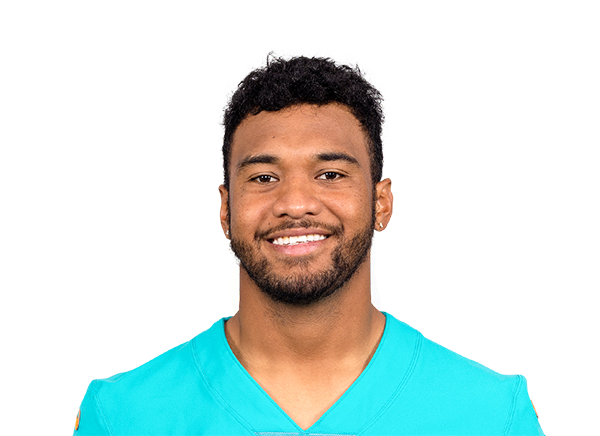
Headshots
<Headshot playerId league /> renders an ESPN headshot from the player id; with idSystem="gsis" it renders once
the gsis id map has loaded.

import { Headshot } from "@sportsdataverse/sdvplot/react";

<Headshot playerId="3918298" league="nfl" height={80} alt="Josh Allen" />;






import { STANDINGS } from "@sportsdataverse/examples/data";
import { Headshot } from "@sportsdataverse/sdvplot/react";

// ESPN ids render on the first pass; idSystem="gsis" renders once the gsis map has loaded.
(
  <div style={{ display: "flex", flexWrap: "wrap", gap: 8 }}>
    {STANDINGS.map((s) => (
      <Headshot key={s.qb_espn_id} playerId={s.qb_espn_id} league="nfl" height={60} alt={s.qb} title={s.qb} />
    ))}
  </div>
);
Hooks
useTeamColors(league) returns { team: "#hex" } for the league, undefined until it has loaded. useResolve(league)
returns a synchronous resolver once the league has loaded, here turning what a user typed into team ids.
import { STANDINGS } from "@sportsdataverse/examples/data";
import { useTeamColors } from "@sportsdataverse/sdvplot/react";
import type { ReactElement } from "react";

function Swatches(): ReactElement | null {
  // { team: "#hex" } for the whole league; undefined until the league has loaded.
  const primary = useTeamColors("nfl");
  const secondary = useTeamColors("nfl", { which: "secondary" });
  if (primary === undefined || secondary === undefined) return null;
  return (
    <svg width={STANDINGS.length * 44} height={88} role="img" aria-label="AFC team colours">
      {STANDINGS.map((s, i) =>
        [primary, secondary].map((colors, row) => (
          <rect
            key={`${s.team}-${row}`}
            x={i * 44 + 2}
            y={row * 44 + 2}
            width={40}
            height={40}
            fill={colors[s.team] ?? "grey"}
          >
            <title>{`${s.team} ${colors[s.team] ?? "unknown"}`}</title>
          </rect>
        )),
      )}
    </svg>
  );
}

<Swatches />;
| typed | team_id |
|---|---|
| KC | 12 |
| Kansas City Chiefs | 12 |
| OAK | 13 |
| Las Vegas Raiders | 13 |
| SD | 24 |
import { useResolve } from "@sportsdataverse/sdvplot/react";
import type { ReactElement } from "react";

const typed = ["KC", "Kansas City Chiefs", "OAK", "Las Vegas Raiders", "SD"];

function Resolved(): ReactElement | null {
  const resolve = useResolve("nfl"); // undefined until the league has loaded, then a sync resolver
  if (resolve === undefined) return null;
  return (
    <table>
      <thead>
        <tr>
          <th>typed</th>
          <th>team_id</th>
        </tr>
      </thead>
      <tbody>
        {typed.map((v) => (
          <tr key={v}>
            <td>{v}</td>
            <td>{resolve(v) ?? "-"}</td>
          </tr>
        ))}
      </tbody>
    </table>
  );
}

<Resolved />;
In the gallery: React.